April 17th, 2026
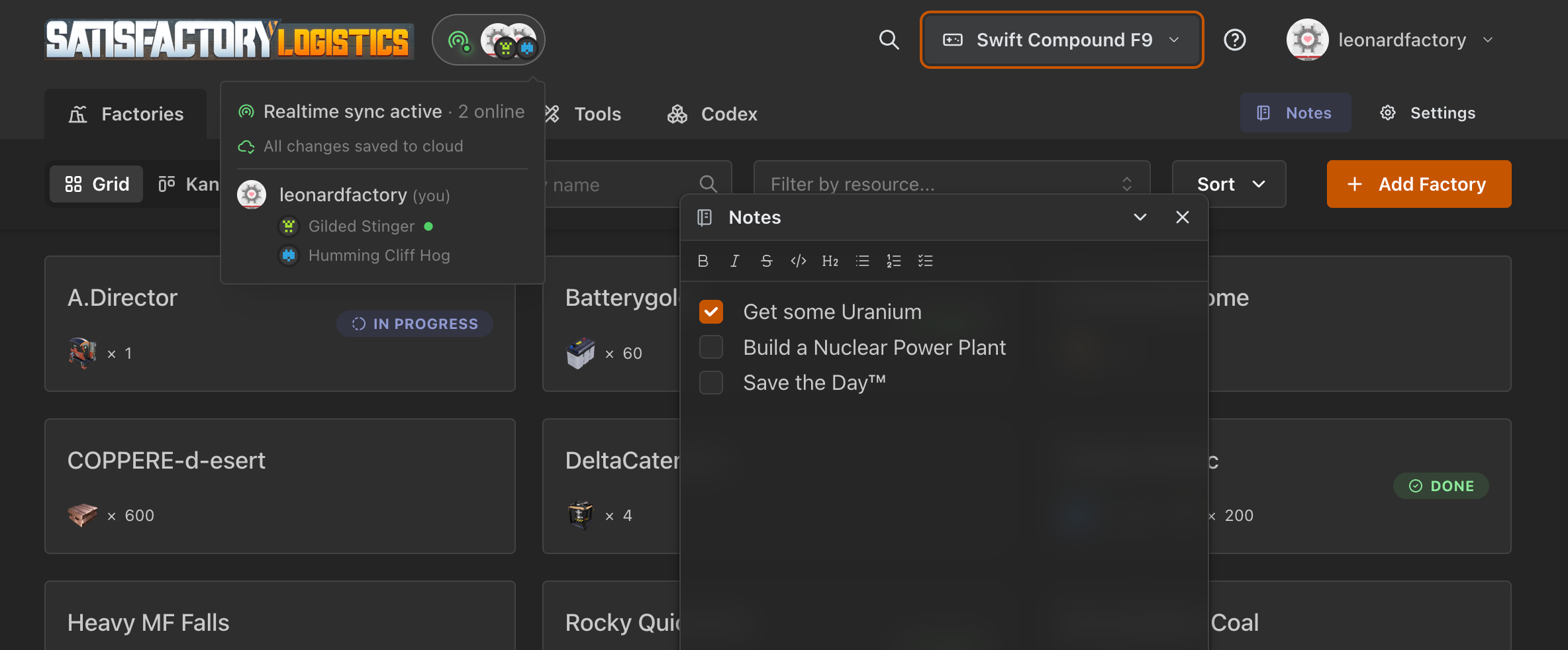
Hey Pioneer! A packed release this time: the planner is no longer a solo experience. You can now plan factories alongside your friends in real time, keep notes as you design, discover everything the game offers through a built-in Codex, and get hand-held through the tool with an interactive tutorial. Plus a bunch of quality-of-life improvements we have been sitting on.
Let's dive in.
What's new
Real-time sync & online peers
The big one. If you sign in, your games and factories now sync live across tabs, devices, and teammates. Open the same game as a friend and you will see their avatar in the header.
Saving is also automatic and triggered even when you close the tab, so you won't lose that last edit.

Interactive tutorial
New users are greeted by a "Hello, Pioneer!" welcome modal with a guided tour. The tour covers factory basics, the calculator, linking, charts, the codex, and notes, broken into chapters you can run independently. Veterans can relaunch any chapter at any time from the ? icon in the header.

Codex & unified Spotlight search (Cmd+K)
Two connected features. A new Codex tab puts every item, recipe, and building in a browseable encyclopedia, so you don't need the wiki open on a second monitor. Press Cmd+K (or tap the new search icon in the header on touch devices) to open the spotlight and search across items, recipes, buildings, and your own factories, all in one list.

Notepad
A draggable, collapsible notes panel powered by TipTap. Keep plans, reminders, or raw data next to your factory without leaving the page. Notes are per-factory and per-game, sync with the rest of your data, and support rich text with a fixed formatting menu.

Splitter calculator
New tool under the Tools tab for sizing splitter/manifold layouts. Give it an input rate and the number of outputs, get a React Flow graph showing the required splitter chain.

Graph display settings
Two new toggles in the Game Settings modal for the chart view: orthogonal edges for a cleaner, diagram-like look, and a switch to disable the animated dots on edges if you find them distracting (or your GPU does). While we were there, the settings modal got a small UI refresh.
Disabled factory state
You can now mark a factory as disabled. Disabled factories show a clear banner in their detail page, appear dimmed in the list, and are excluded from charts and the solver. Useful for archiving old plans without deleting them or freezing a WIP while you think.

Offline support (PWA)
Satisfactory Logistics now installs as a PWA with full offline support on Chromium browsers. Find the Install app option in your user menu. Once installed, the planner keeps working even without a connection; changes sync the next time you are online.
Under the hood
Factory links in charts. Click a node in the Sankey or node graph to jump straight to that factory.
Game menu rewrite: better realtime sync handling, auto-generated random names for new games, guarantee that at least one game always exists, cleaner deletion flow.
Offline & connection handling: clear notifications when you drop offline, updated sync indicator states.
Navbar tabs use a shared layout, so active state and routing no longer flicker.
A bunch of smaller sync, notes, and RLS fixes we won't bore you with.
What's next
Implementation of the remaining asked features on Featurebase
Fine-tuning and small fixes
Thanks for sticking with us, and, as always, bug reports and feature requests are welcome on Featurebase or GitHub.
Happy planning, Pioneers!
April 13th, 2026
Hello pioneers!
After a year and a half of slacking off dedicated development, v0.10.0 has finally landed! This is a big update, packed with new planning features, a game data refresh, and a modernized tech stack.
What's new
Kanban Board & Progress Tracking
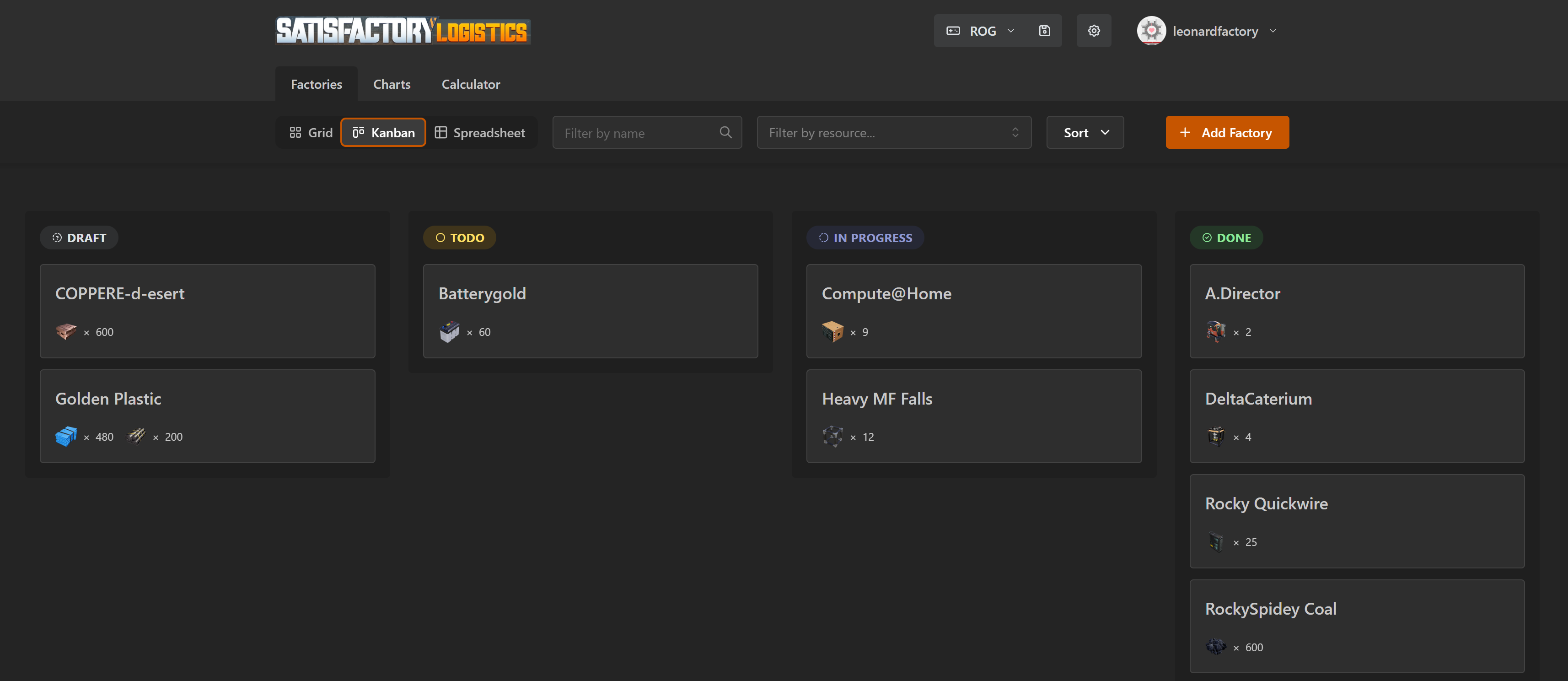
You can now track the build progress of each factory. Assign a status: Draft, Todo, In Progress, or Done, and visualize your megabase plan on a Kanban board with drag-and-drop. No more losing track of which factory you've actually built in-game.
Building Restrictions
Configure which buildings are available at the game level (e.g., only Constructors early-game), and override per-factory when needed. The solver respects these restrictions and will suggest which blocked buildings you'd need to unlock if no solution is found.
Satisfactory 1.1 & FICSMAS
All game data has been updated for Satisfactory v1.1, allowing you to import save games and recipes. Plus, FICSMAS content is fully supported with all seasonal items, recipes, and updated icons.
Somersloop & Solver Fixes
Somersloops now display per machine instead of confusing totals. Power calculations for boosted buildings are accurate. Overclocking input bugs are fixed. The solver is smarter and more reliable than ever, atleast that's what we say to ourselves!
Under the Hood
Upgraded to React 19, Mantine 9, and Vite 8
Migrated from ESLint + Prettier to Biome for faster, unified linting
New vertical flex layout
Numerous UI polish fixes and dependency updates
Thanks to @Th3FalleN , @Alma, @MellowDramaLlama and all the project contributors that made this possible.
Roadmap — What's Next
We're already working on the next set of features:
Experimental Support — full support for Satisfactory's Experimental branch, so you can plan with the latest content before it hits stable
Codex — an in-app encyclopedia for buildings, items, and recipes — browse and search game data without leaving the planner
Notepad — attach notes to your factories and plans, so you can keep context and reminders right where you need them
Stay tuned — and as always, feedback and contributions are welcome!
Try it now at https://satisfactory-logistics.xyz/
Thank you to everyone who contributed and reported issues. Your feedback shapes this tool!
November 3rd, 2024
Hello, fellow pioneers! First of all, I want to thank you all for your incredible support. It's been amazing to see so many people eager to contribute—whether through code (now that we're open source), financially (thanks for all the coffee!), or with brilliant ideas.
This upcoming update is going to be huge, and it wouldn’t have been possible without you. So, get ready as we dive into what we've accomplished!
Somersloops & Overclock
When you open a Machine node in the calculator plan, you can now edit somersloops amount and overclock percentage. The solver will use these values together to output the correct amount of buildings & inputs needed.
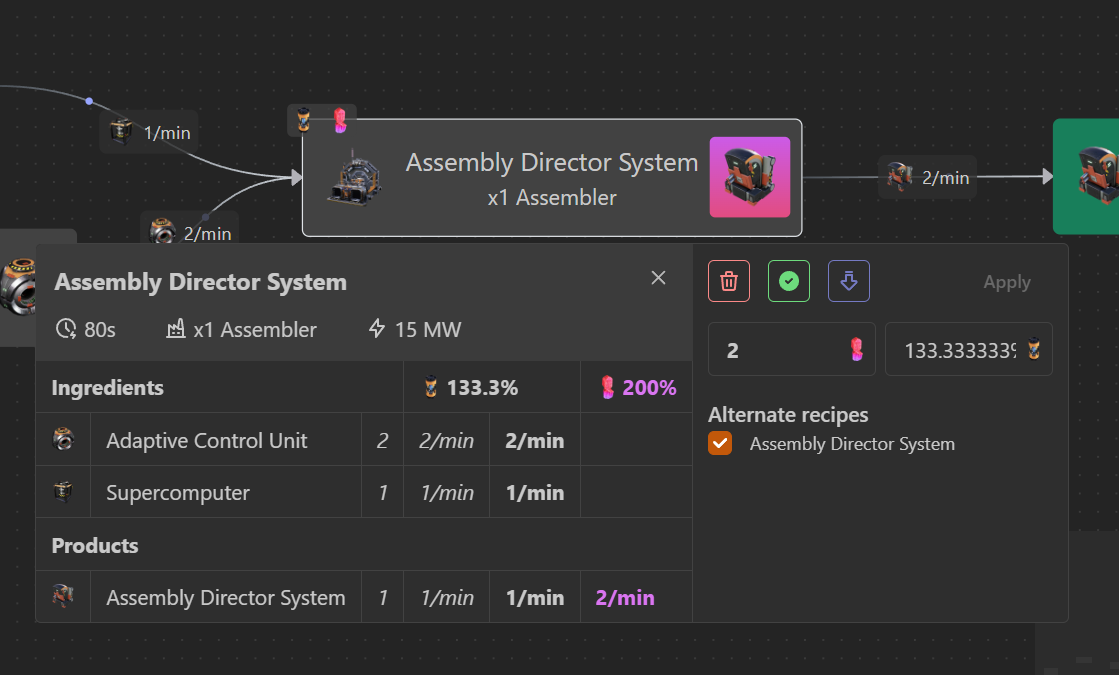
When editing these values, the somersloops amount in the Factories tab will be updated accordingly.
While writing this, the power consumption display is still not correct with sloops & OC. Will fix these days
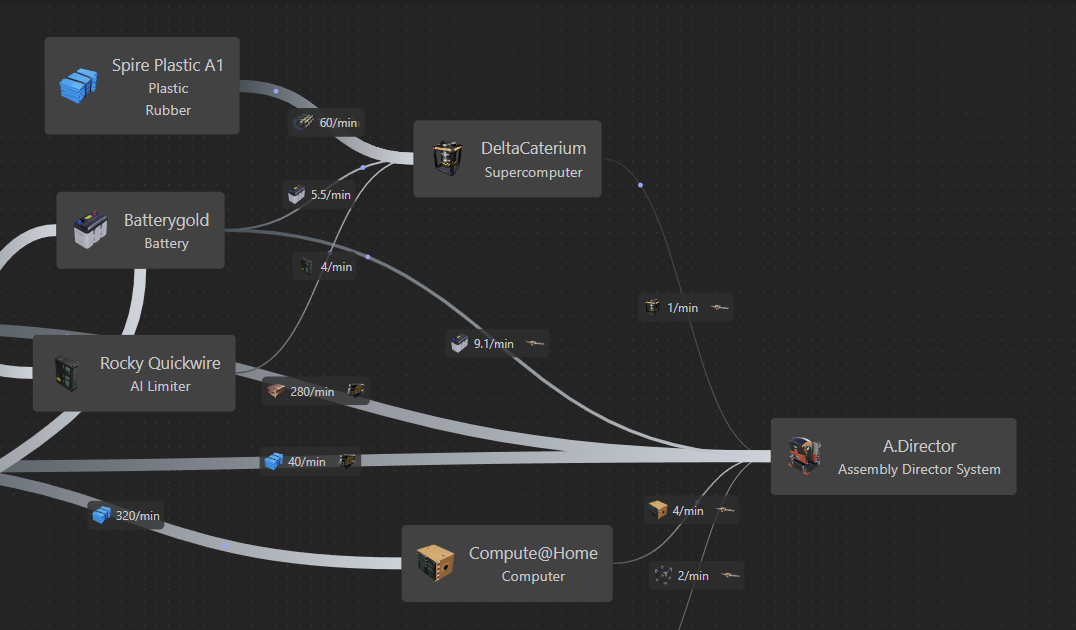
Transport & Logistics Graph
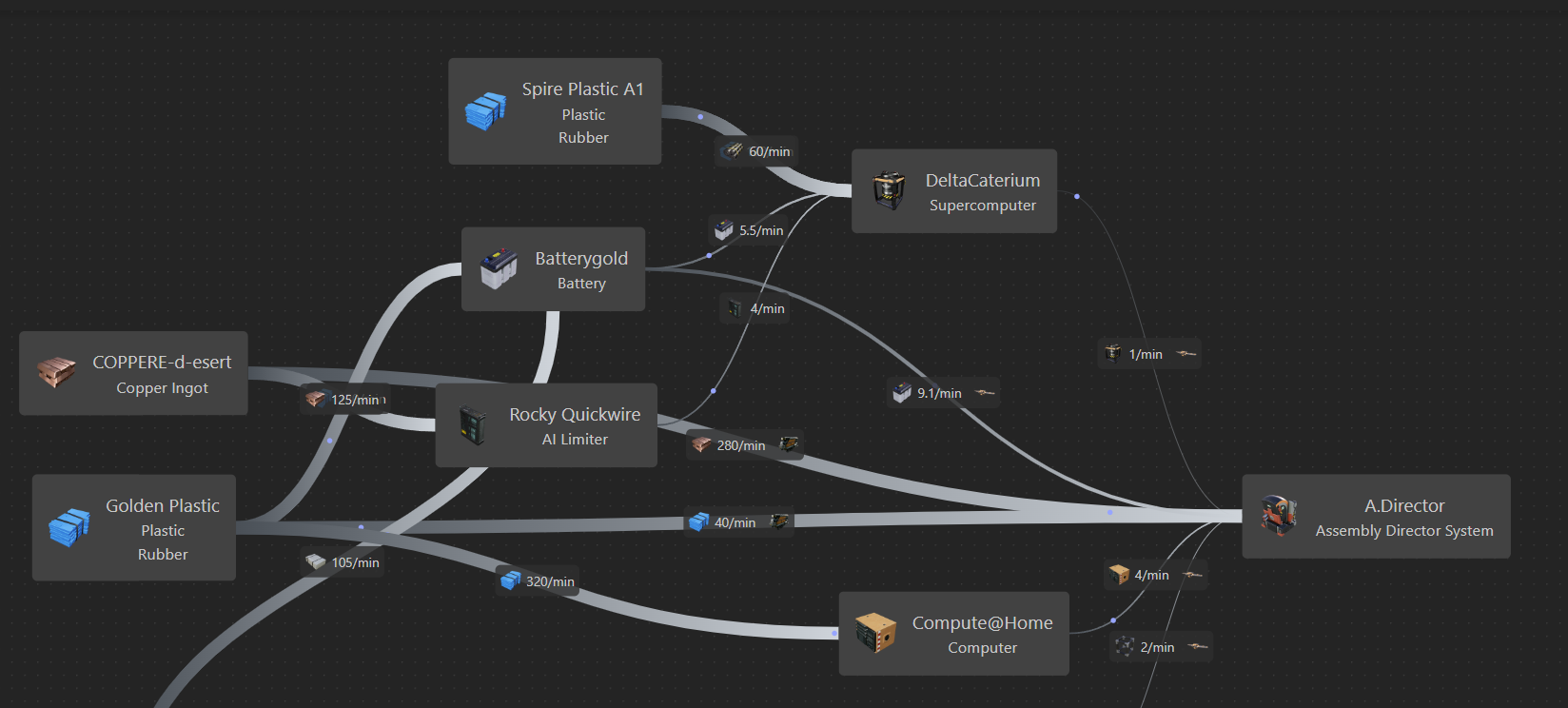
For every input you can indicate the transport method. These choices are displayed in the brand-new “Graph” display in the Charts tab: it’s like the calculator, but for factories
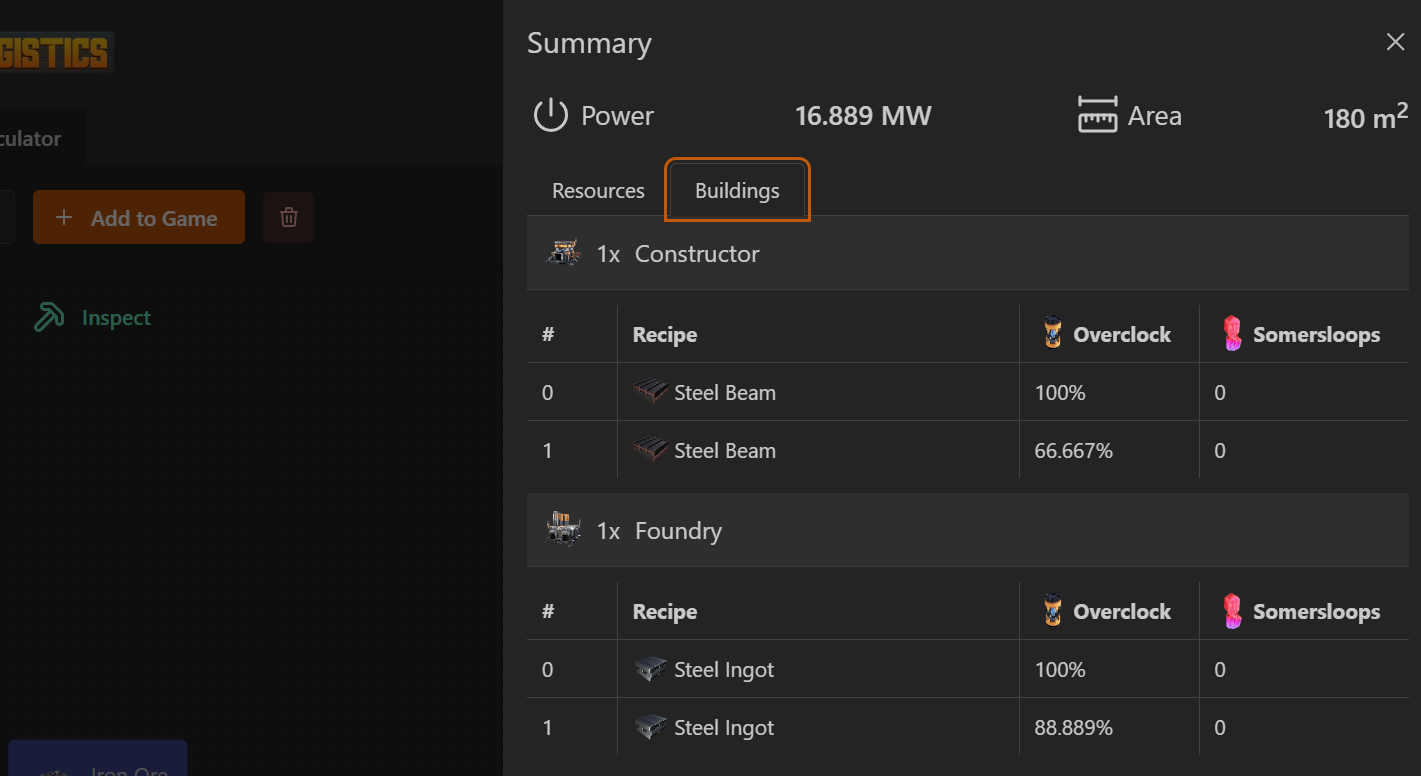
Buildings Summary
In the summary drawer you will now find a new “Buildings” tab which displays more detailed information about the machines needed for the plan.
Fullscreen & Minimap pan in calculator view
Thanks to the contribution of Elonmir we’ve got the ability to pan through the minimap and bring the calculator to fullscreen
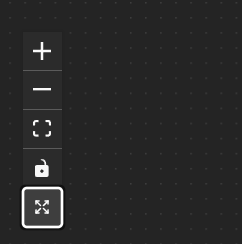
The new “Toggle Fullscreen” button in the calculator
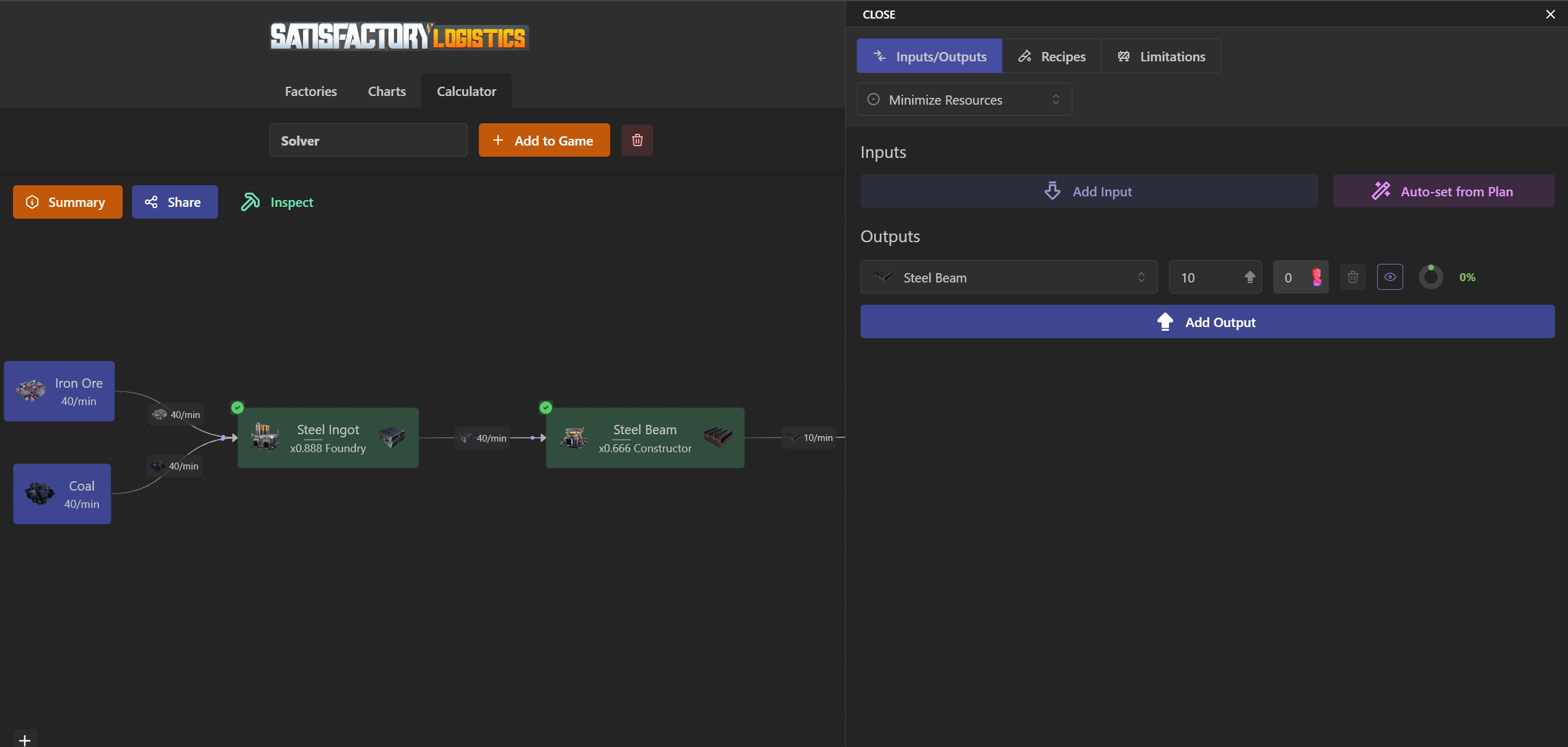
New Calculator Configuration drawer
In this release you’ll find a new UI where you can setup the calculator. You can now configure limitations (like disabled World Resources or Buildings), switch between Recipes & Inputs without closing the drawer and keep navigating the plan without closing the drawer.
Expand & Collapse
Now all the factories may be collapsed, both in Compact view and in Wide view, hiding inputs and outputs (the latter only in wide view)
Import from SatisfactoryTools
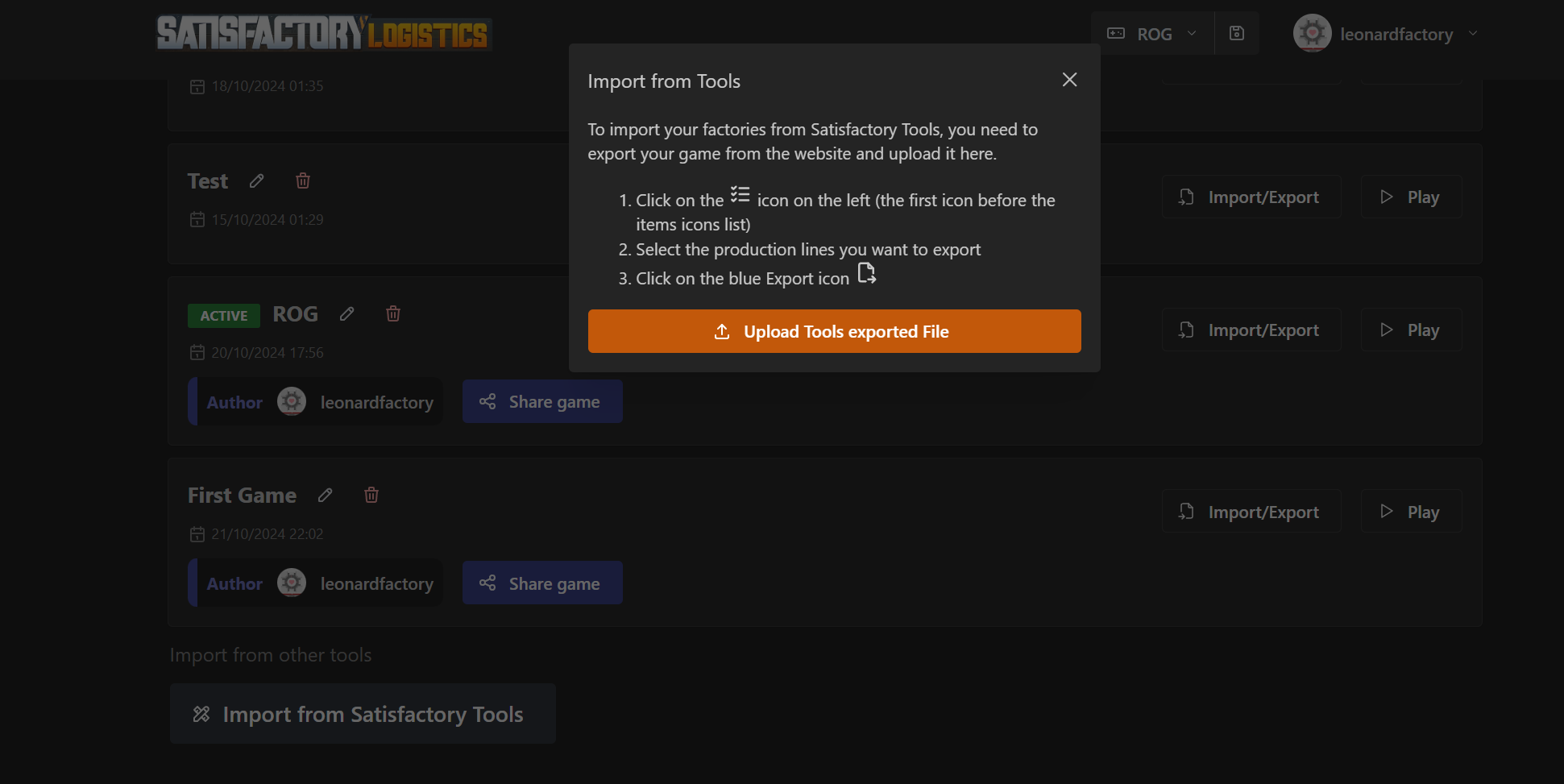
In Games List (from the Game menu) you can now choose “Import from Satisfactory Tools” and after uploading the .txt generated by SFTools, you’ll now see the factories in SL!
And many more!
Added a button to Clone a factory, available in Wide view
Added a new toggle in Recipes selection to disable all Raw resources Converters
Added some Confetti when you build all the machines in a factory (no screen - try it!)
Fixed a bug with multiple inputs from different factories of the same resource
Fixed a bug in Inputs visualization inside the calculator I/O drawer
Shortened the footer in the calculator tab
October 19th, 2024
Hello fellow pioneers! This time we’ve got a big update. Let’s see what we’ve got!
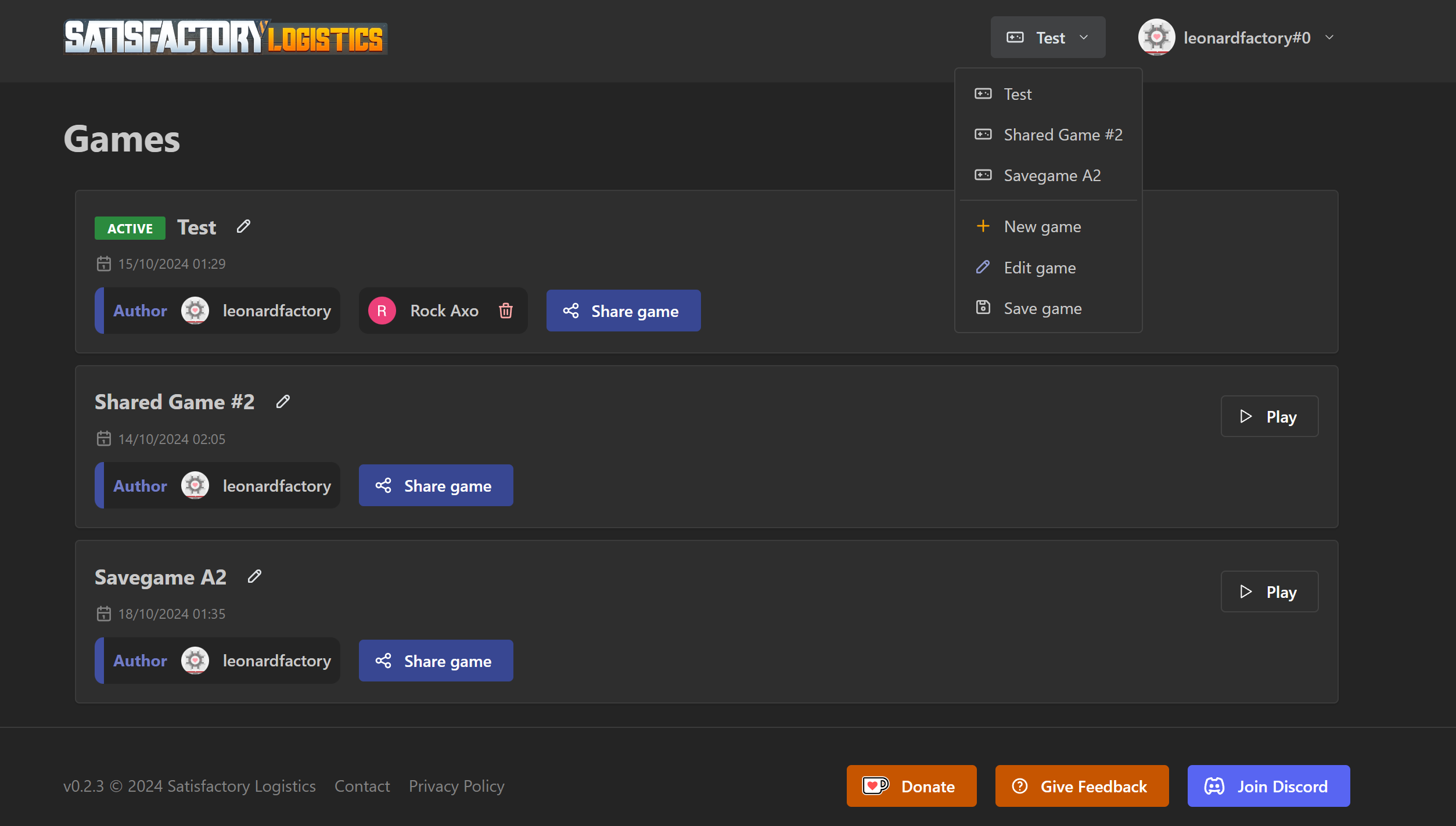
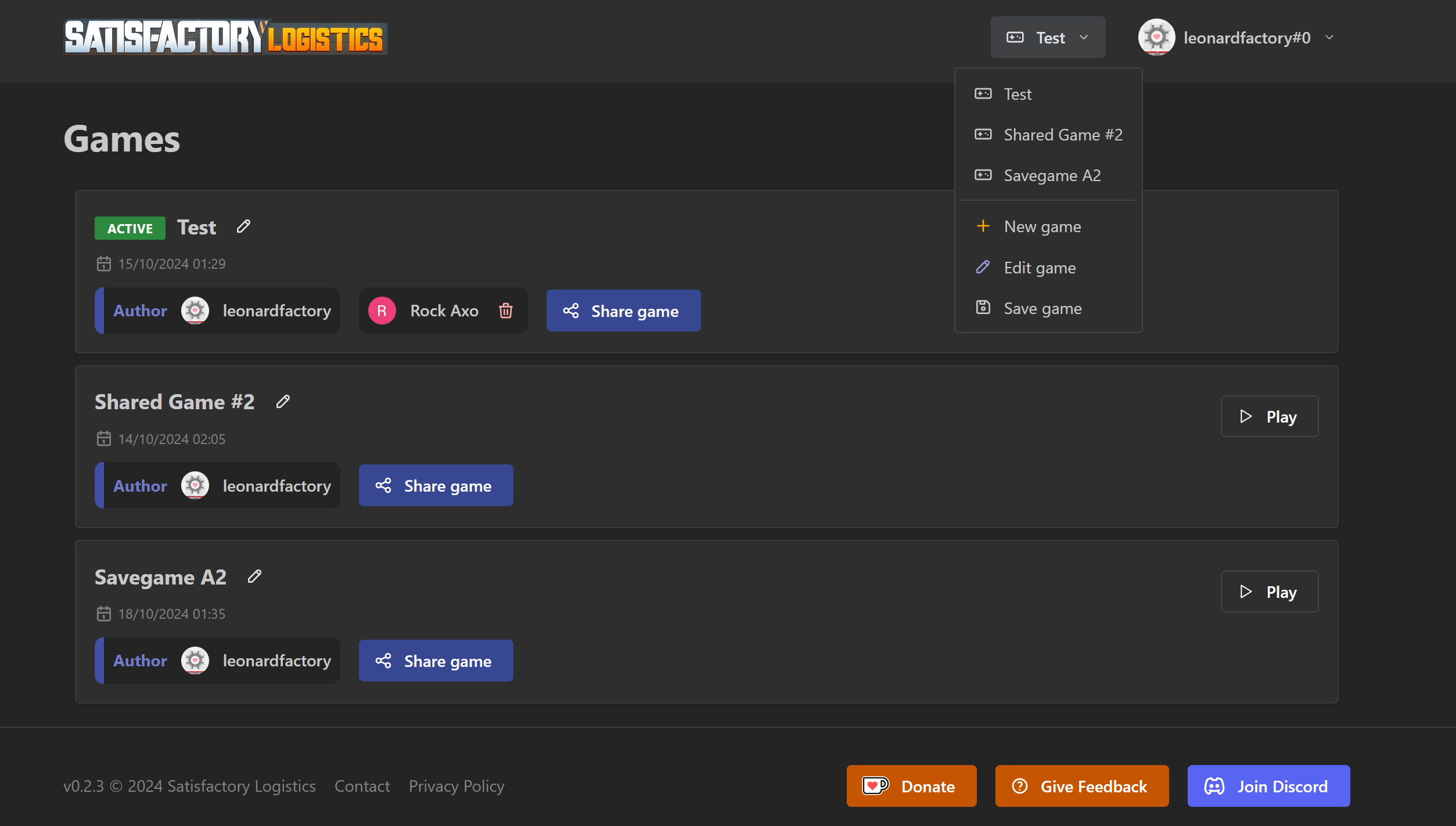
Game Sharing & Multiple Savegames
With multiple savegames support. I didn't realize at first that well, you have to restart sometimes. But don't fear! Now Satisfactory Logistics supports multiple savegames and sharing. Hey it's not realtime - but it's better than being alone!
Calculator for Factories
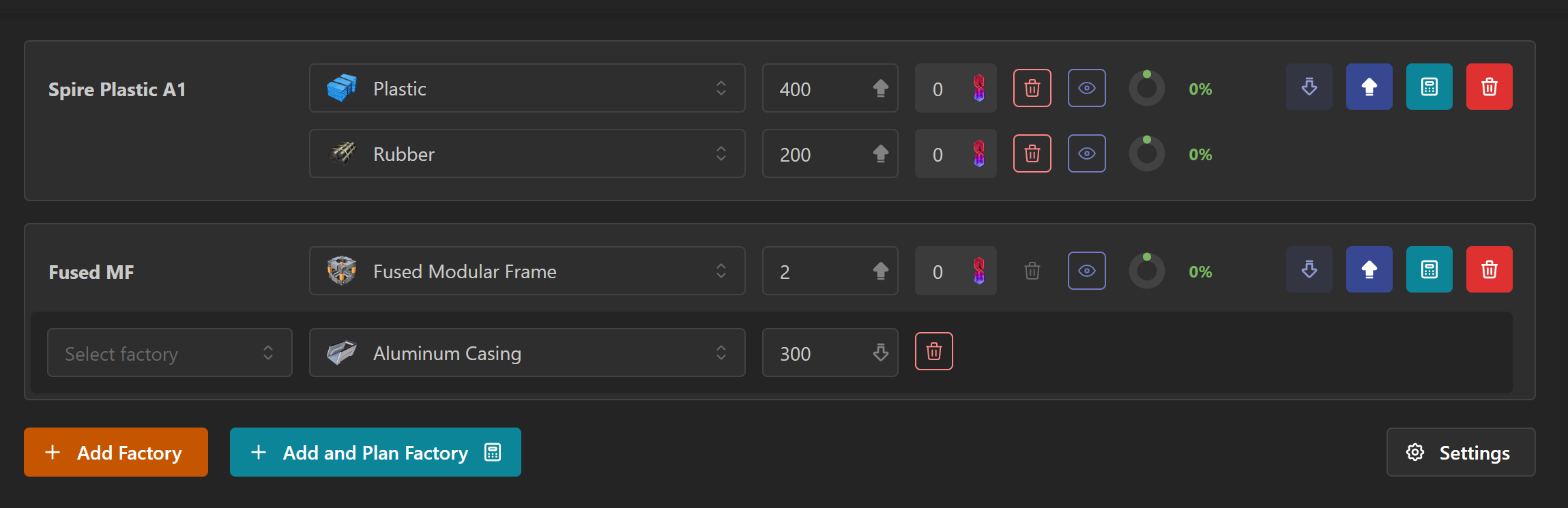
Workflow between calculators and factories has been streamlined. Every plan will be a factory by default. Change inputs & outputs and you’ll see them reflected in realtime in the factories view.
Just use the new “Add and Plan Factory” button and jump in!
Got issues with calculator? Check out FICSIT-approved suggestions!
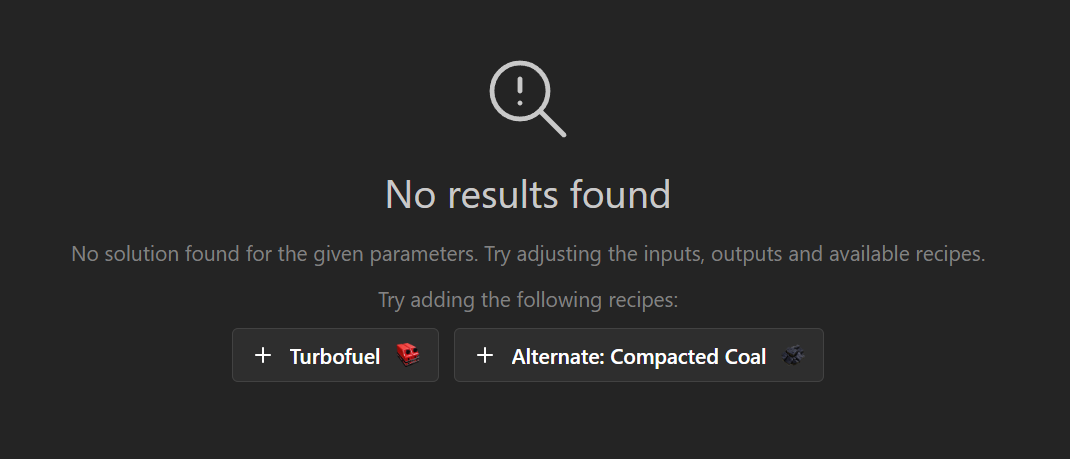
f the currently selected set of recipes isn't sufficient to produce a plan, the system will try to propose alternative recipes which, when enabled, will provide a valid plan. Hope it will help with some common issues cough Turbofuel cough
Power Generators
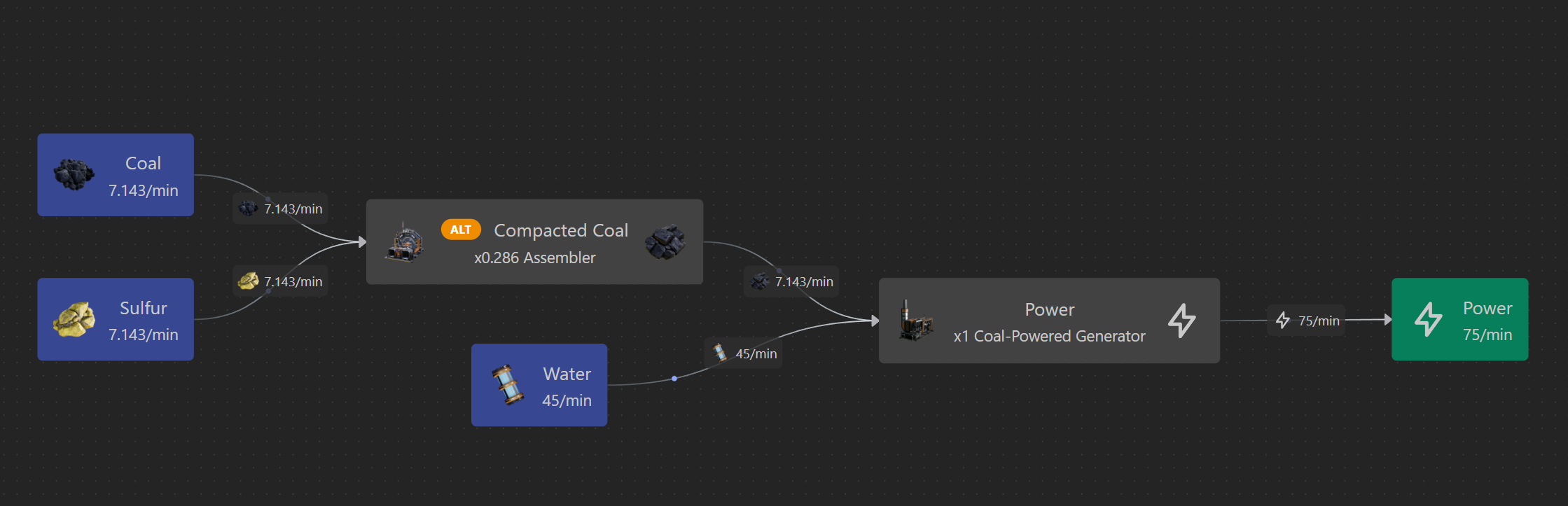
You can now select “Power” as an additional output in every factory. Furthermore, in the calculator you can choose which generator is producing it, in order to have a precise track of consumed resources.
Recipes Selection
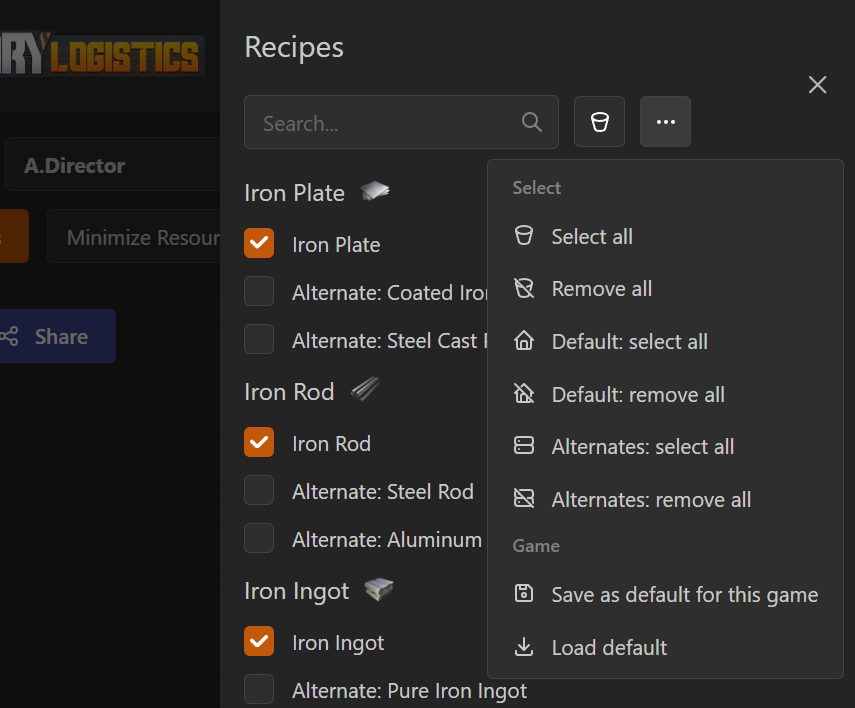
Pick your recipes and save them for your game; next factory will use them. Only default recipes will be selected when starting a new game.
October 9th, 2024
Hello fellow pioneers!
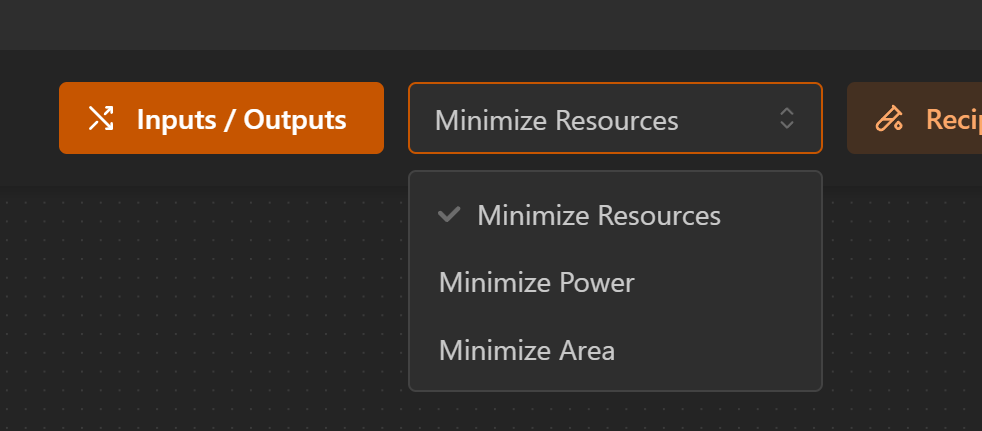
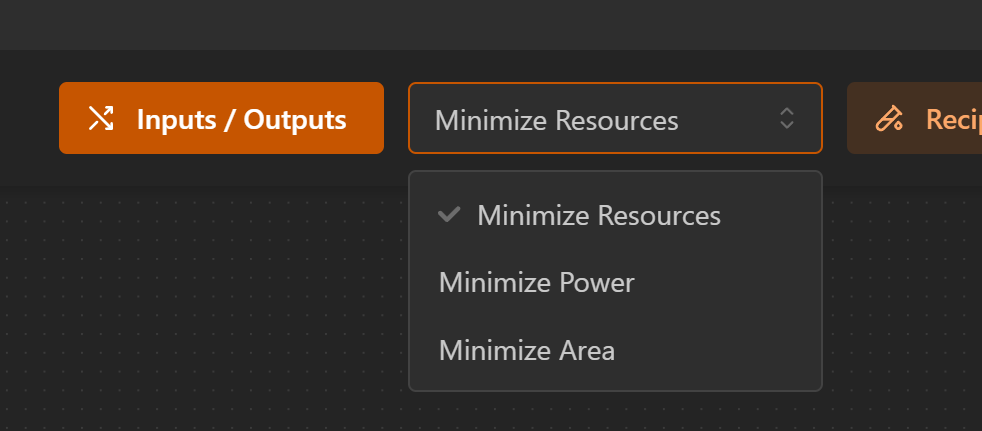
In this preliminary update, we’ve added the ability to choose a different optimization method: do not fear, it’s just a select away. Choose if you desire a more compact factory or a not-so-power-hungry build, then see the result!
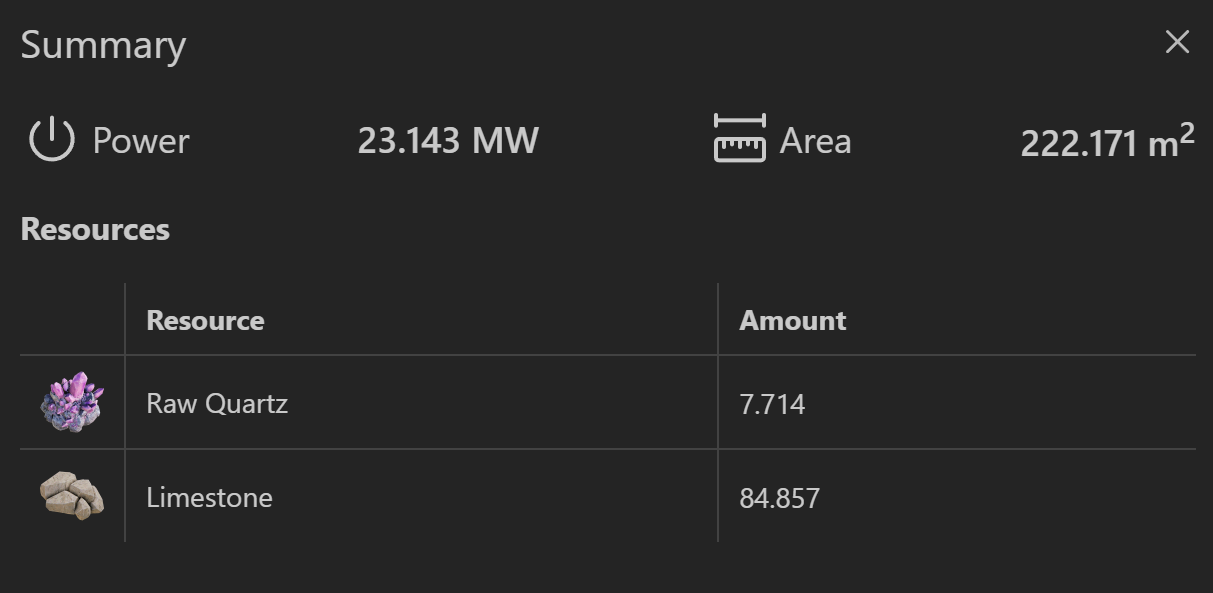
Calculator Summary
Now there is a (definitely barebones) summary panel. Useful to compare different optimization methods
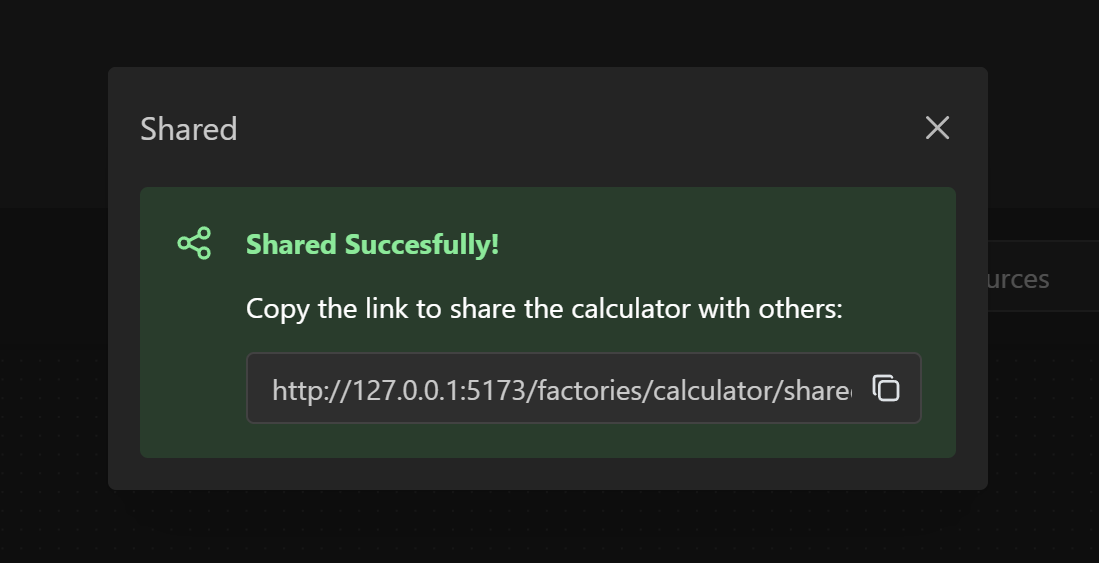
Sharing is Caring!
For logged in user, now it’s possible to share calculator plans with other friends pioneers!
October 3rd, 2024
Hello fellow Pioneers!
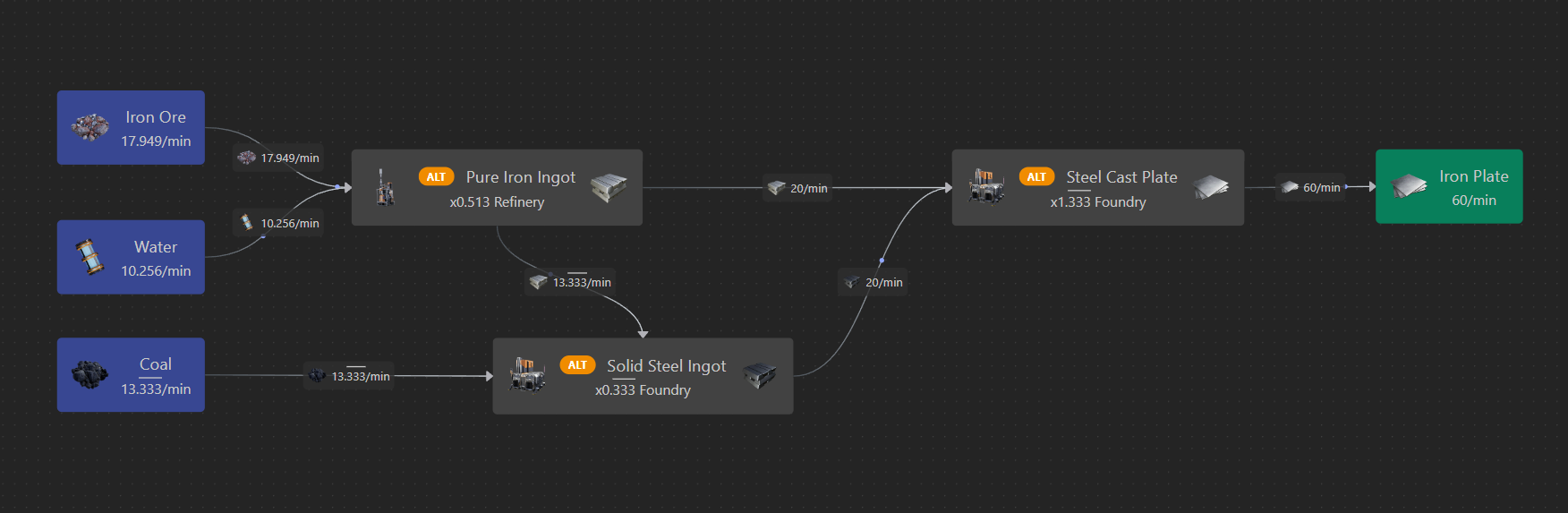
In this update, I’m glad to introduce the first (beta) version of the Satisfactory Logistics Calculator!
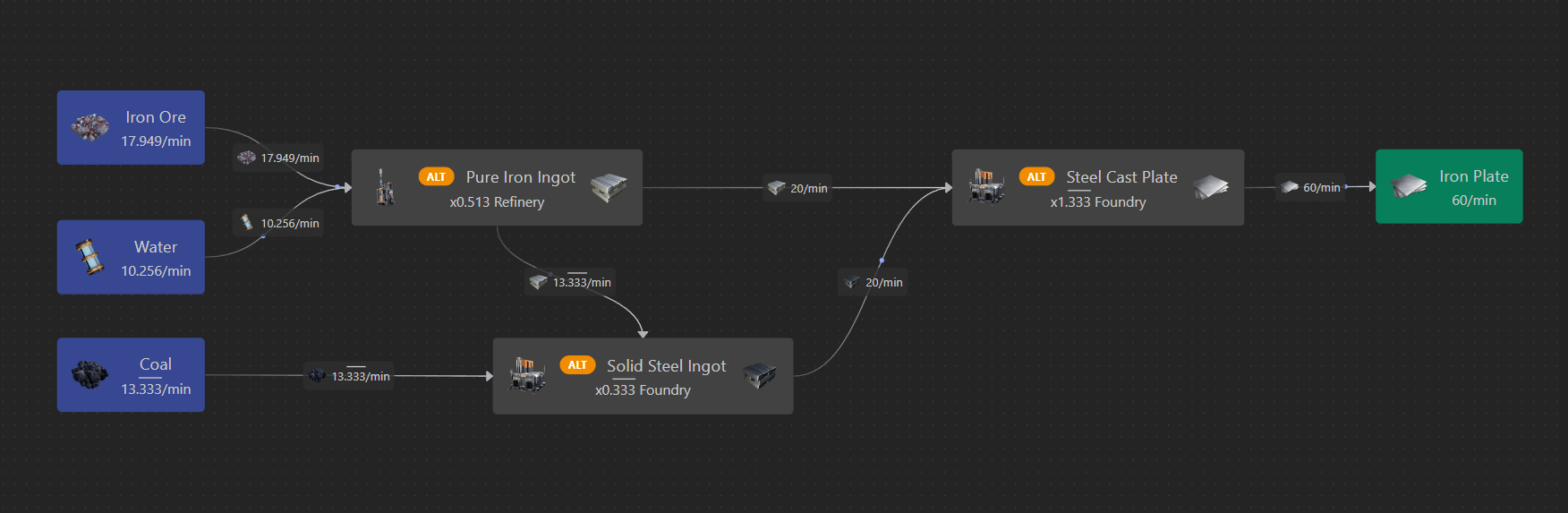
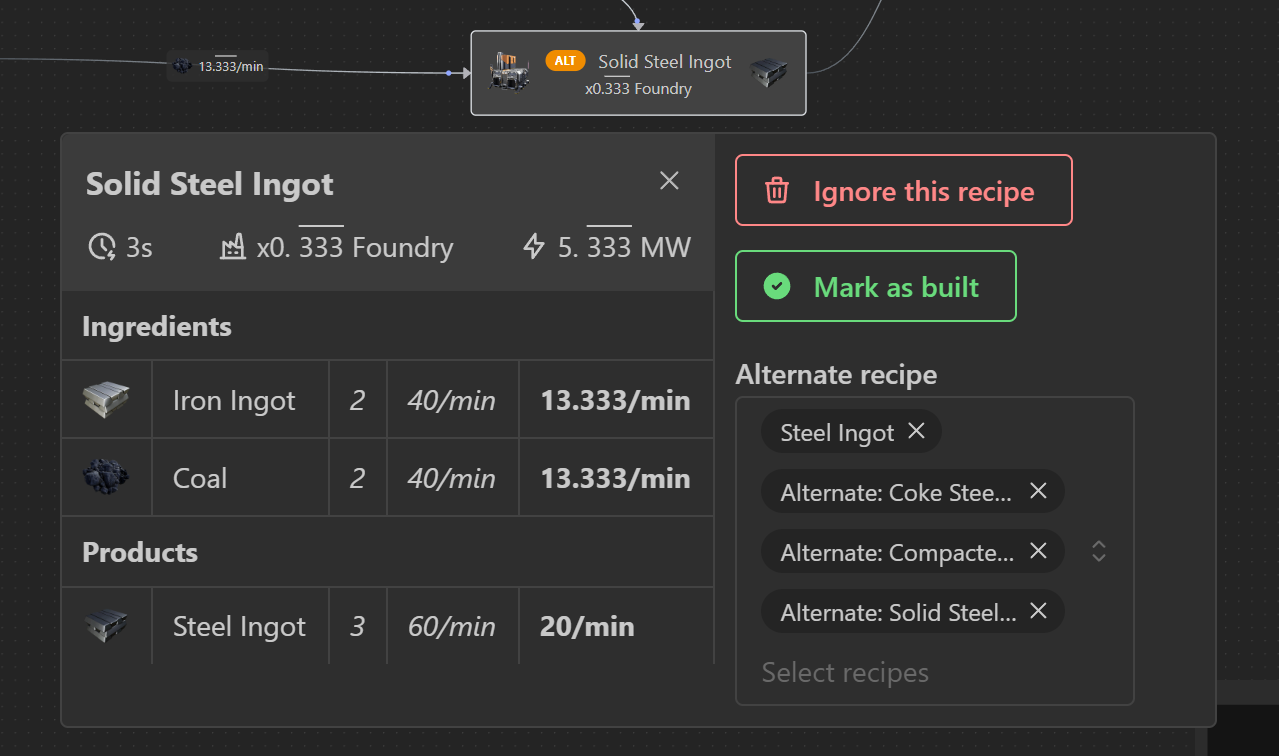
Recipe Details
For each item, you can:
Ignore the recipe (don’t want to bother with Wet Concrete? It’s just one click away - ignore it and the calculator will switch to another recipe)
Mark the building as built, so you can avoid insanity while building these Turbo Motors
See a detailed view of ingredients & products, to double check everything
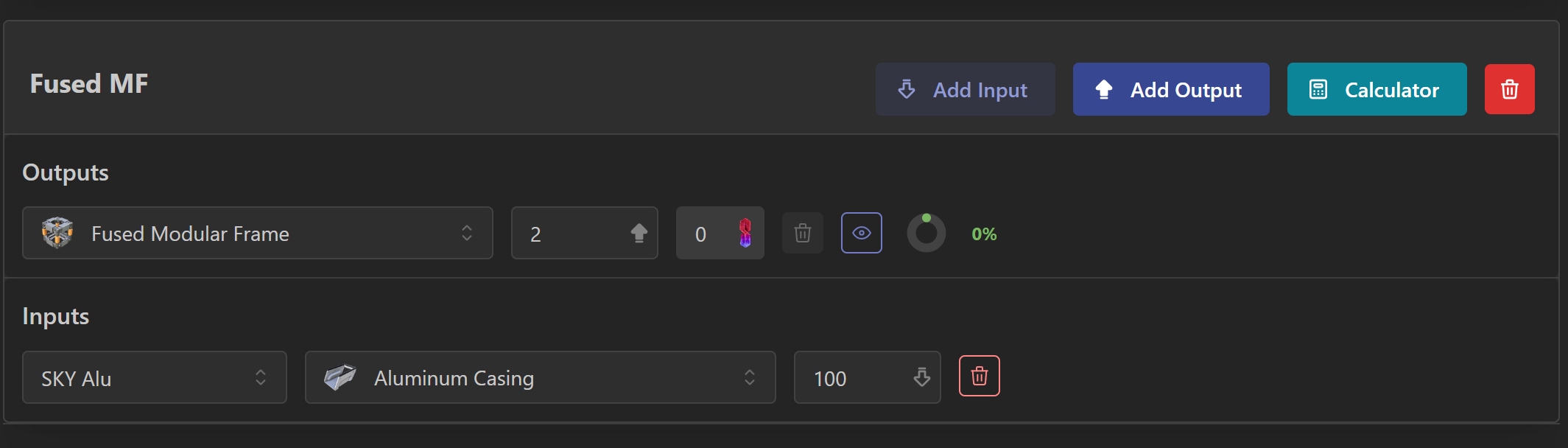
Directly from your factories
You can just use the new “Calculator” button, to open a calculator already setup with Inputs and Outputs from your factory
Next steps
The Calculator has still some rough things in its UI, but I’m satisfied with the result. Let me know if you like it on our Discord channel!
Happy harvesting to everyone 🛠️